Chin Tuck + gentle extension - RIGHT VIEW
Exercise Steps
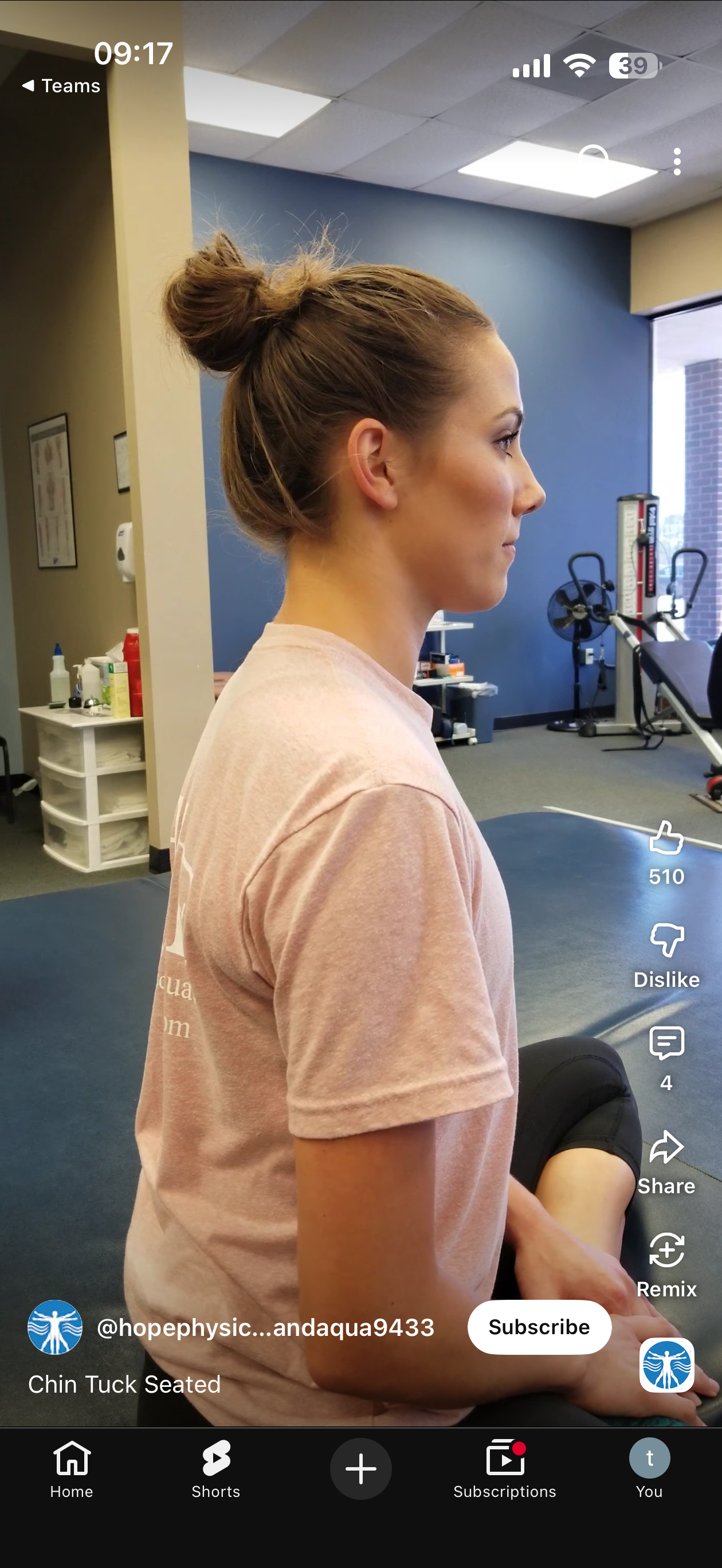
Step 1: Setup position start
ID: STEP_1_SETUP_POSITION_START
Description:
Sit or stand upright with your back straight and shoulders relaxed

Keep your head in neutral position - eyes looking straight ahead, chin parallel to the ground

Maintain your neck in a neutral alignment - avoid tilting, rotating, or flexing your head
Time: 20.0%
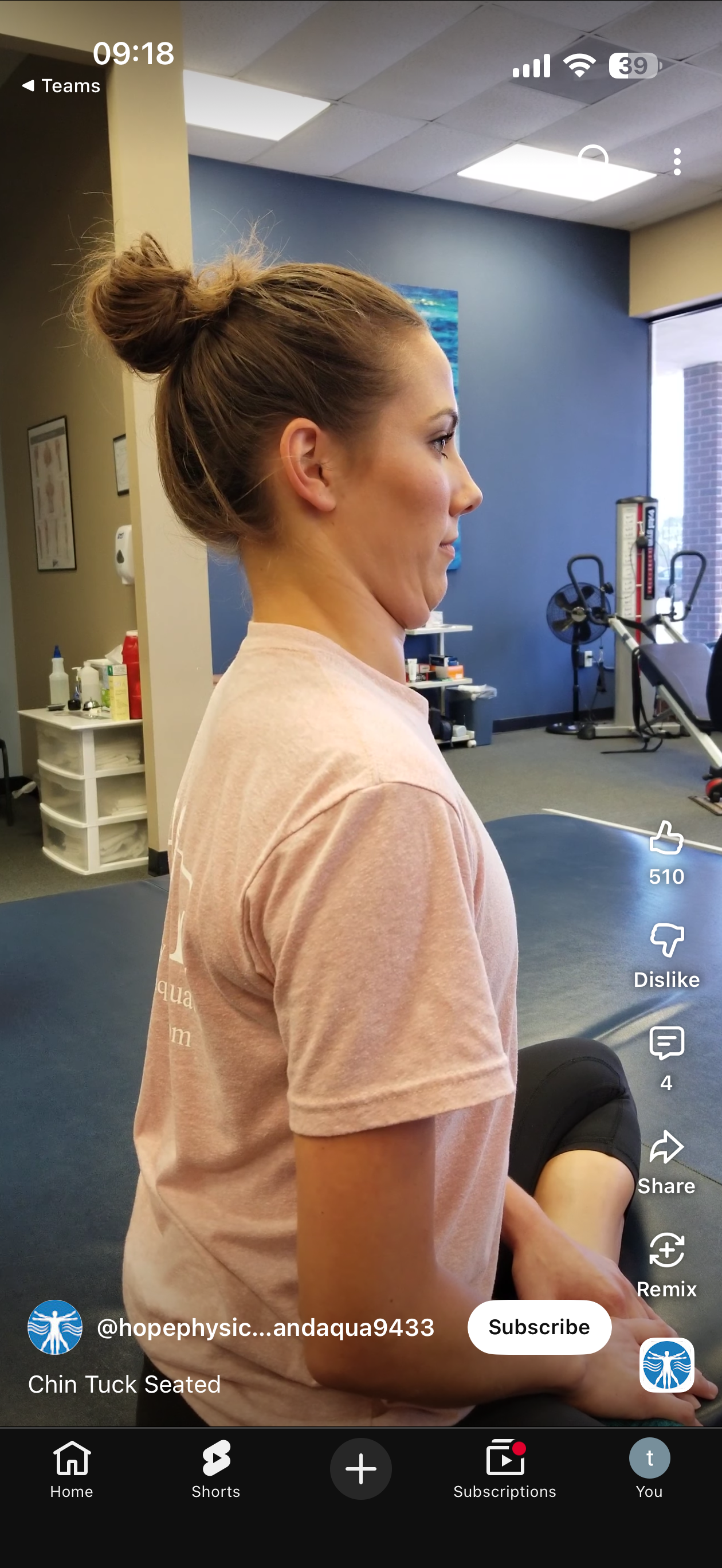
Step 2: Chin tuck 1
ID: STEP_2_CHIN_TUCK_1
Description:
Look slightly downwards to bring the chin towards the your upper chest.

Gently tuck your chin in.

Keep your jaw and neck muscles as relaxed as possible.

Aim to feel a slight muscular contraction in the back of the throat and lengthening sensation at the back of the neck.
Time: 40.0%
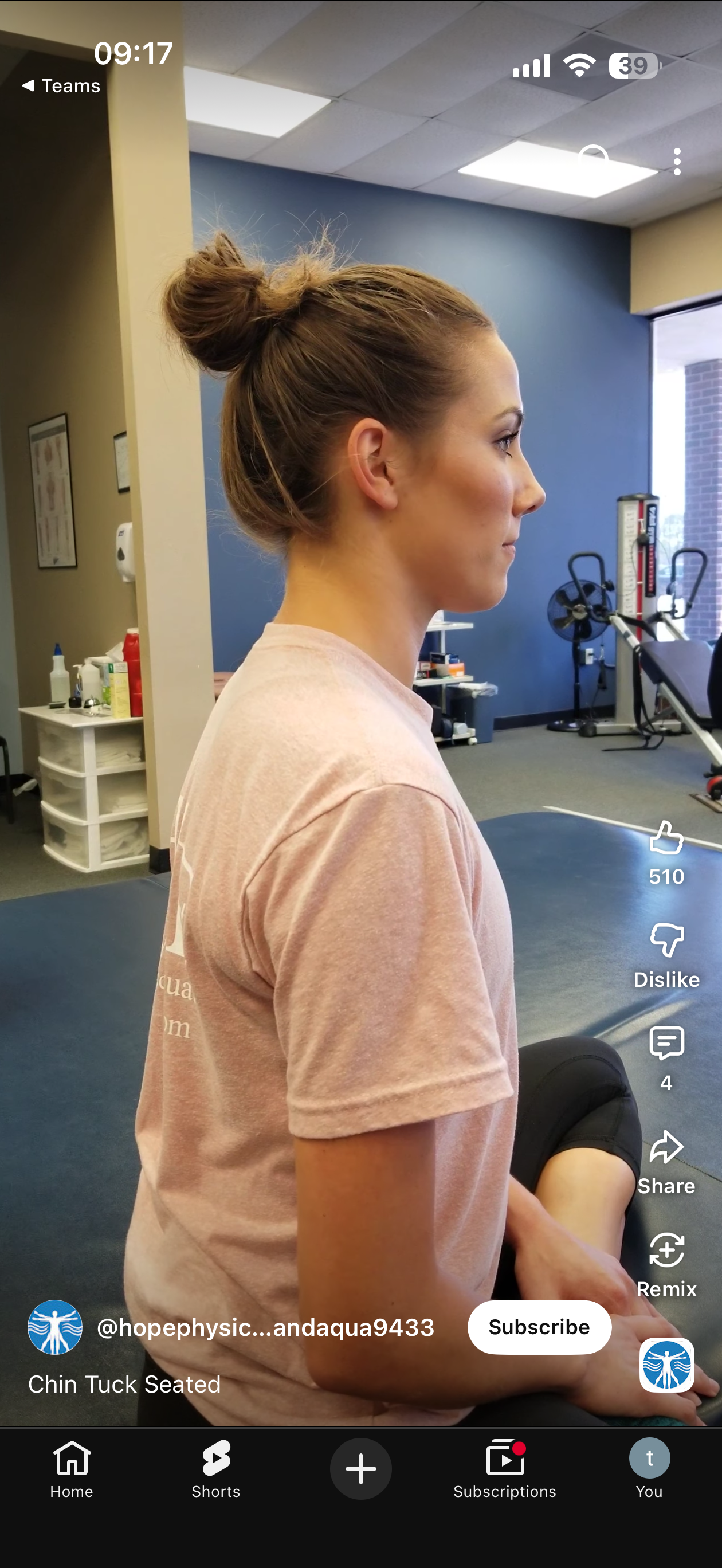
Step 3: Back to setup position start
ID: STEP_3_BACK_TO_SETUP_POSITION_START
Description:
Sit or stand upright with your back straight and shoulders relaxed

Keep your head in neutral position - eyes looking straight ahead, chin parallel to the ground

Maintain your neck in a neutral alignment - avoid tilting, rotating, or flexing your head
Time: 60.0%
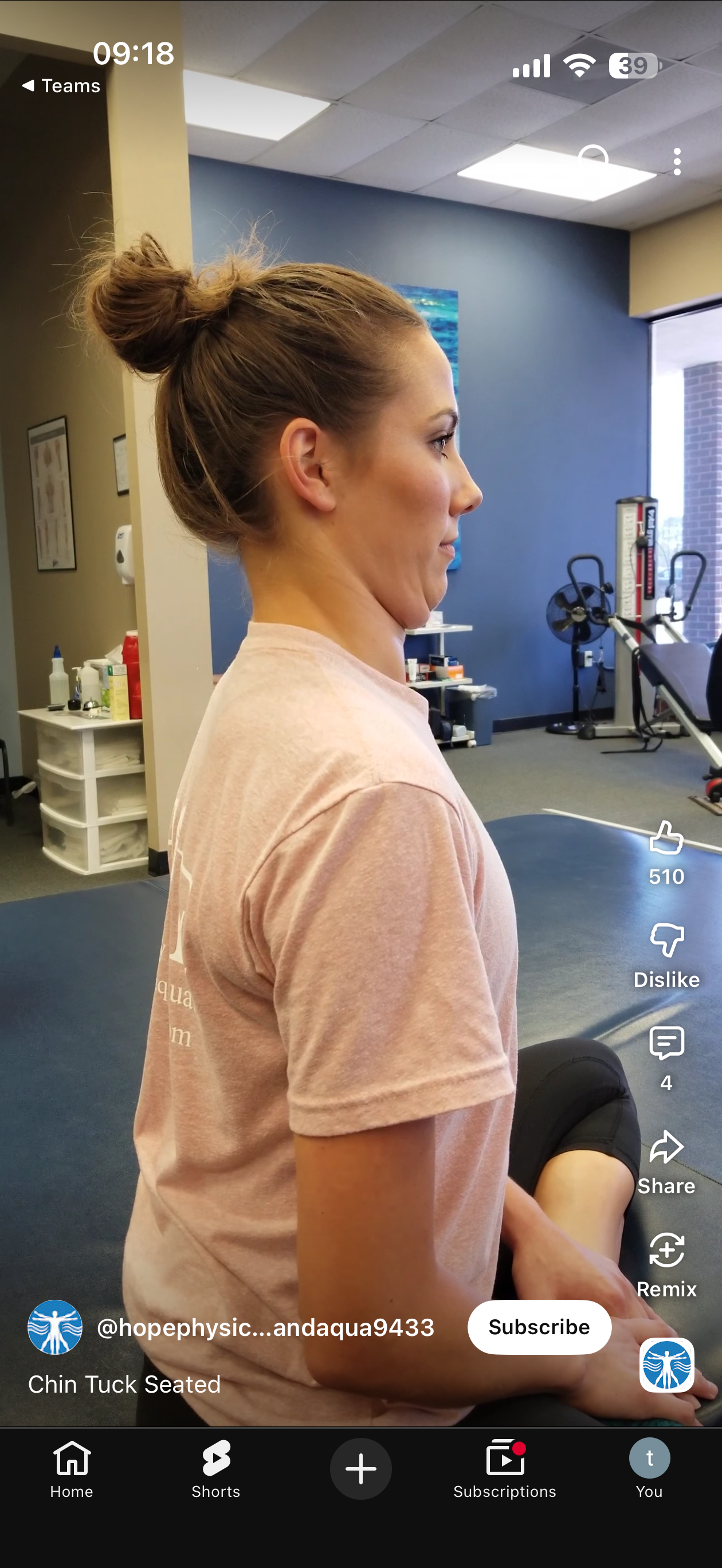
Step 4: Chin tuck 2
ID: STEP_4_CHIN_TUCK_2
Description:
Look slightly downwards to bring the chin towards the your upper chest.

Gently tuck your chin in.

Keep your jaw and neck muscles as relaxed as possible.

Aim to feel a slight muscular contraction in the back of the throat and lengthening sensation at the back of the neck.
Time: 80.0%
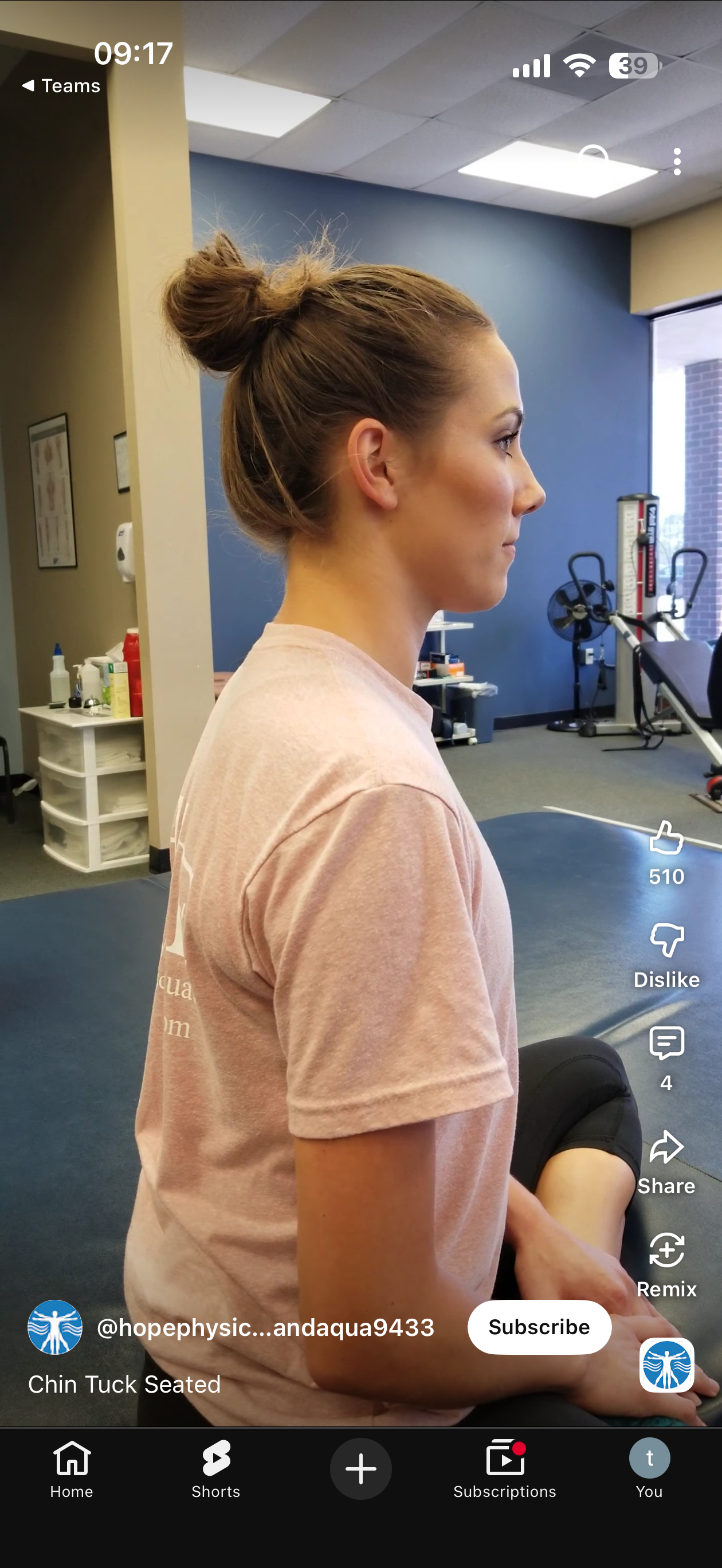
Step 5: Setup position end
ID: STEP_5_SETUP_POSITION_END
Description:
Sit or stand upright with your back straight and shoulders relaxed

Keep your head in neutral position - eyes looking straight ahead, chin parallel to the ground

Maintain your neck in a neutral alignment - avoid tilting, rotating, or flexing your head
Time: 100.0%
Basic Information
Exercise ID(s):
a1d7ebde-905e-44bd-9a7a-689b3d0c6163
Total Steps: 5
Config File:
a1d7ebde-905e-44bd-9a7a-689b3d0c6163.yaml
Evaluation Thresholds
Key Landmarks
0
6
8
10
12
Processing Options
- Show Visualization
- Save Video
- Save Report
- Save Visualization
- AI Summary (groq)